FreeLazLink opens encrypted connections to servers, NAS boxes, routers and Raspberry Pis – with terminal, file transfer and clear profile management in one window. The modern alternative to PuTTY.
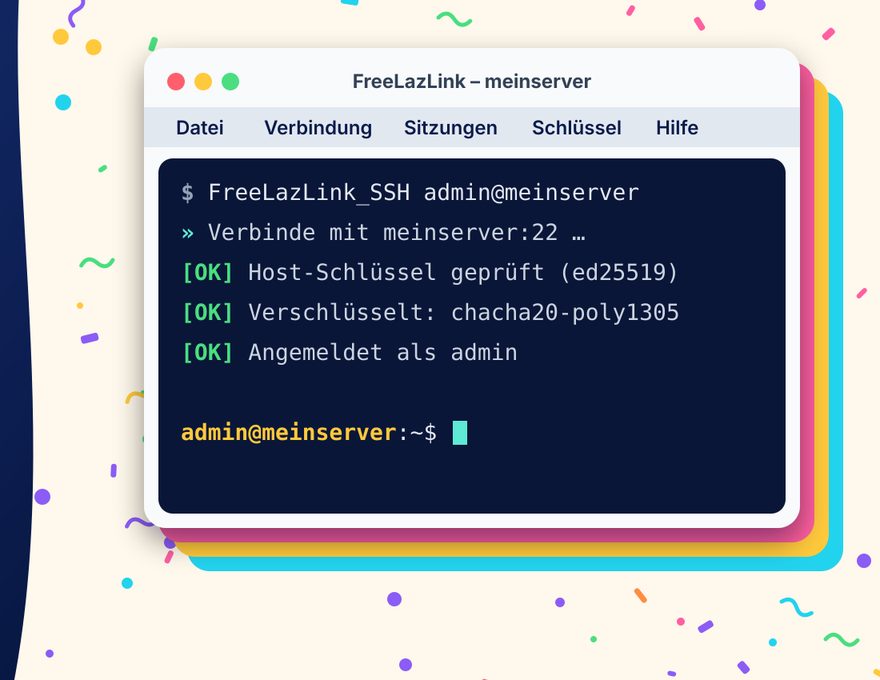
Think of FreeLazLink as a remote control for computers that are somewhere else – in the basement, in a data centre or in the cloud. You pick the target with a few keystrokes, FreeLazLink sets up an encrypted SSH connection, and you work as if you were sitting right in front of it.
Three tools in one window: the SSH terminal for commands on the server, a local terminal for your own computer and the file view for copying, moving and editing files.
For professionals: SSH-2 with Ed25519 and RSA keys (including PuTTY .ppk), agent, jump hosts, port, X11 and agent forwarding, SFTP, SCP and FTP. Plus the command-line tools FreeLazLink_SSH and FreeLazLink_SCP for scripts – using the same profiles.
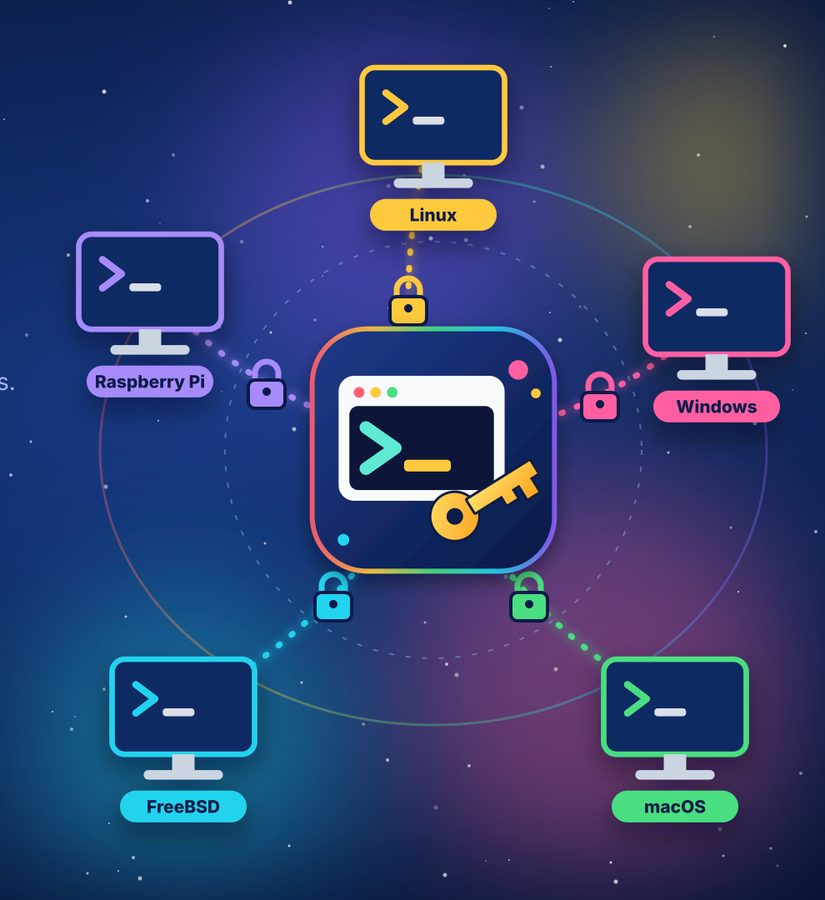
The principle: your computer and the server are connected through an encrypted tunnel.
The benefits at a glance
No extra libraries
One program file is all it takes: no Java, no .NET, no DLLs, no third-party tools. All 16 languages are built in.
For professionals: Own SSH and crypto implementation in FreePascal. The command-line tools are fully self-contained; the Linux/BSD user interface only uses the desktop’s GTK2.
No installation
Unpack, start, done. Program, profiles and settings live in one folder – on your hard disk, a USB stick or a cloud folder.
For professionals: No registry entries, no administrator rights. One file FreeLazLink.json for all three programs.
More than PuTTY
Everything you like about PuTTY – plus profile folders, graphical file transfer, a local terminal, import and 16 languages.
For professionals: PuTTY and KiTTY sessions and .ppk keys are imported: switching takes minutes.
Profiles in folders
Organise your connections in groups and nested sub-folders of any depth, e.g. Customers › Meier Ltd › Router. You decide the order.
For professionals: Copy/paste, CSV export and import, synchronisation with a central file on a network share or via SFTP.
Connected in a flash
A few initial letters are enough: cmer opens Customers › Meier Ltd › Router. Or simply click the big button.
For professionals: Unique matches start immediately; a colour flash and a sound signal hit or miss – usable without looking.
Two-pane technique
Your computer on the left, the server on the right: F5 copies, F6 moves, F4 edits directly on the server – just like Total Commander.
For professionals: SFTP, also server ↔ server with two connections; conflict dialog comparing size and date, bookmarks for paths.
Secure
Every connection is encrypted. FreeLazLink checks the server’s fingerprint and warns you if someone tries to get in between.
For professionals:known_hosts verification, passwords stored encrypted or not at all – key files with passphrase.
For every system
Ready-to-run programs for Windows, Linux, macOS and FreeBSD – from the old 32-bit PC to the Raspberry Pi and the Mac with Apple chip.
For professionals: Nine platforms: x86_64, i386, aarch64 and arm.
What FreeLazLink looks like
Click a picture to enlarge it. Some screenshots show the German user interface.
Quick selection: after “k” and “m” three customers are left – the buttons below show which letters lead on.Profile management: groups and sub-folders just like in Explorer.Two-pane file view: your computer on the left, the server on the right.SSH terminal with colours, mouse support and scroll-back.Full-screen programs such as Midnight Commander run in the terminal too.Two connections: copy files directly from server to server.Import: take over existing sessions from other programs.The principle: your computer and the server are connected through an encrypted tunnel.
What FreeLazLink does better than PuTTY
Feature
FreeLazLink
PuTTY
Profiles in folders and sub-folders
any depth
one flat list
Start a connection with a few keystrokes
quick selection
find, load, open session
Graphical file transfer (two panes)
built in
command line only (PSCP/PSFTP)
Edit files directly on the server
built-in editor
Copy from server to server
yes
Local terminal in the same window
yes
Import from PuTTY, KiTTY, WinSCP, OpenSSH, FileZilla etc.
10 programs
Same profiles on Windows, Linux and macOS
one file, central sync
Windows registry
User interface in 16 languages
yes
English only
Runs without installation
yes
yes
Ready-made programs for Windows, Linux, macOS, FreeBSD
9 platforms
partly
As of October 2026. PuTTY is an excellent free program by Simon Tatham, whose ideas FreeLazLink owes a great deal to.
Who is FreeLazLink for?
IT departments
Hundreds of servers neatly arranged in folders and sub-folders
Identical profiles on every workstation via a central file
Take over existing PuTTY, WinSCP or OpenSSH configurations
Command-line tools for scripts and automation
Runs from a USB stick – no administrator rights needed
At home
Manage your Raspberry Pi, NAS, router or your own website
Enter address, user and password – done
Transfer files with a mouse click or a function key
Detailed manual without jargon, with glossary
Freely available, no ads, no sign-up
Download
Choose your operating system. Every package contains the three programs FreeLazLink (with user interface), FreeLazLink_SSH and FreeLazLink_SCP (command line) plus the manual as PDF. The programs speak all 16 languages; the English user interface starts automatically on an English system. The manual is currently available in German, French, Dutch, Italian, Spanish and Russian – the English packages contain the German manual.
Recommended for your system
Manual: German · All packages: version 0.5.1 of 11 Oct 2026 · … downloads so far
Windows
win64-x86_64Windows, 64-bit – for almost all current PCs
Unpack with tar xzf file.tar.gz, then start ./FreeLazLink. The user interface uses GTK2 – present on most desktops, otherwise install the package libgtk2.0-0 or gtk2.
macOS
MacOS-aarch64macOS with Apple chip (M1, M2, M3, M4 …)
Open the ZIP and drag FreeLazLink.app into a folder of your choice. If macOS blocks the first start: System Settings › Privacy & Security › “Open Anyway”.



 Windows
 Linux
Linux macOS
macOS FreeBSD
 Manual